BLOG
TiviOne Android TV Box: 6 Easy Steps to a Perfect Big-Screen Setup
Aug
TiviOne Android TV Box: 6 Easy Steps to a Perfect Big-Screen Setup in 2026
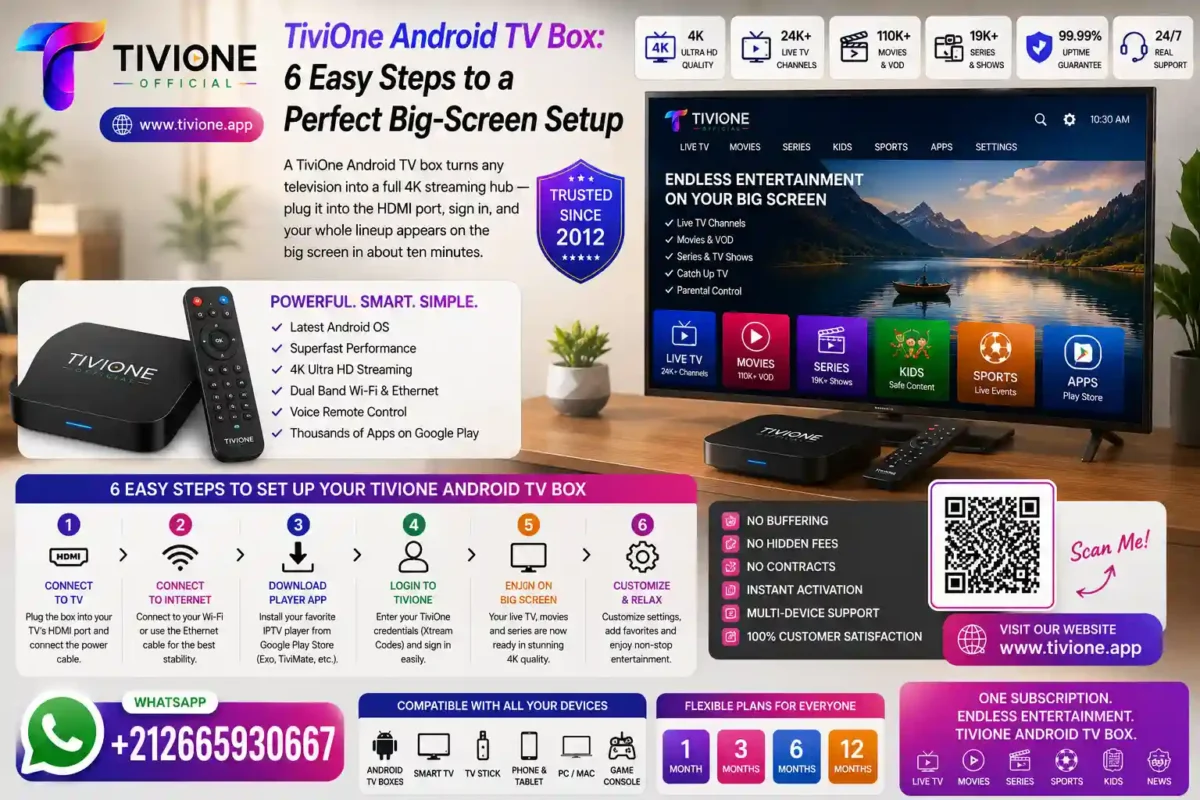
A TiviOne Android TV box turns any television into a full 4K streaming hub — plug it into the HDMI port, sign in, and your whole lineup appears on the big screen in about ten minutes.
For living-room viewing, a dedicated box is hard to beat. This guide walks through the TiviOne Android TV box setup step by step, so a first-timer can be watching on the main TV tonight.
What Is a TiviOne Android TV Box?
An Android TV box is a small set-top box that plugs into your television and runs streaming apps. A TiviOne Android TV box is simply one of those boxes running the app for your Tivione Internet Protocol television subscription.
It connects to the TV through an HDMI port and to the internet by Wi-Fi or cable, then streams your live channels, the video on demand library and catch-up — all on a family-safe catalogue.
The result is a proper big-screen experience: a full remote, a clean interface, and quality that reaches 4K on a capable television.
Why a Box Beats Other Options for the Main TV
For the living-room television, a box has real advantages. It has more processing power than a tiny stick, so menus feel snappier and 4K playback stays smooth, and it usually offers both Wi-Fi and an Ethernet port for a rock-solid wired link.
It is also tidy and permanent. The box sits behind the TV, keeps your apps in one place, and comes with a proper remote control — no phone-casting or juggling inputs. With streaming handled locally, the experience feels like a natural part of the TV. It is the closest thing to traditional TV, just with a far bigger catalogue behind it.
And it fits an international household: the same account covers viewers across France, Germany, the Netherlands, Belgium, the UK and beyond, all family-safe with no adult channels. One box on the main TV keeps the whole family sorted, whatever language they prefer.
6 Easy Steps to Set Up Your TiviOne Android TV Box
1. Connect the Box to Your TV
Plug the box into a spare HDMI port and power it on. Select that HDMI input on your television and you will see the box’s home screen.
2. Get Your TiviOne Android TV Box Online
Join your Wi-Fi, or better still connect an Ethernet cable to the box for the most stable link on the main TV.
3. Activate Your TiviOne Subscription
Message us to activate your subscription. Within minutes you receive the access details the app needs to sign you in.
4. Install the Recommended App
Follow the short walkthrough sent with your credentials to install the app on the box. It takes just a couple of steps with the remote.
5. Sign In on Your TiviOne Android TV Box
Enter your details once and everything loads — the live guide, the on-demand library and catch-up. Favourites are ready from the first evening.
6. Set Quality and Add Favourites
Set the output to 4K on a capable television, then star your favourites so they are one tap away on the remote every evening.
Practical Guide: Tuning and Support
A few small habits keep your TiviOne Android TV box flawless on the big screen:
- Check your bandwidth. A quick test on Speedtest confirms your ceiling — 10 Mbps for HD, 25 Mbps or more for 4K.
- Use Ethernet where you can. A wired link to the box is the single biggest boost to stability on the main TV; otherwise prefer 5 GHz Wi-Fi.
- Close background apps. Boxes have limited memory, so freeing it up directly improves playback smoothness.
- Restart weekly. A quick reboot clears memory and keeps menus snappy, especially on budget boxes.
If anything needs a hand mid-setup, our team is one WhatsApp message away and happy to guide you through activation on the box, step by step. Most people are watching on their first evening, and once the box is set up there is nothing left to maintain.

Frequently Asked Questions
What is a TiviOne Android TV box exactly?
It is an Android TV set-top box running the app for your Tivione subscription. It plugs into your TV’s HDMI port and turns any television into a full 4K streaming hub.
Do I need a special box, or will any Android box work?
Most current Android TV boxes work well. Mention your box when signing up and the team confirms the ideal app and settings for it.
Can I get 4K on the box?
Yes, with a 4K-capable box, a 4K television and roughly 25 Mbps of bandwidth. The stream scales automatically to the best quality your setup supports.
Should I use Wi-Fi or Ethernet on the box?
Ethernet is best for the main TV, as a wired link removes the most common cause of stutters. If cabling is impractical, 5 GHz Wi-Fi is the next best option.
Is this service legal?
Tivione is a neutral technical platform that provides access to streaming technologies. The service does not store, host or distribute any copyrighted files and operates in compliance with the laws applicable in its jurisdiction. Users are solely responsible for the content they choose to access and must comply with the legislation in force in their country of residence.
How do I set up my TiviOne Android TV box?
Message +212 665-930667 on WhatsApp, or use the contact page on tivione.app. Access arrives within minutes and the six steps above take about ten minutes.
What if the box stutters or feels slow?
Switch to a wired connection, close background apps, and restart the box. Keeping the app updated also helps. Support can assist directly if it persists.
Can I use the same account on my phone too?
Yes. Your subscription follows your account, so you can sign in on your box and your phone. For details on simultaneous viewing, reach out before signing up.
Is the catalogue family-safe?
Yes. No adult channels exist in the catalogue, so every screen in the household stays safe by default.
Plug in, sign in, and enjoy the big screen — that is the whole appeal of a TiviOne Android TV box. Message us to activate your subscription or visit https://tivione.app/, follow the six steps, and start watching tonight.
