BLOG
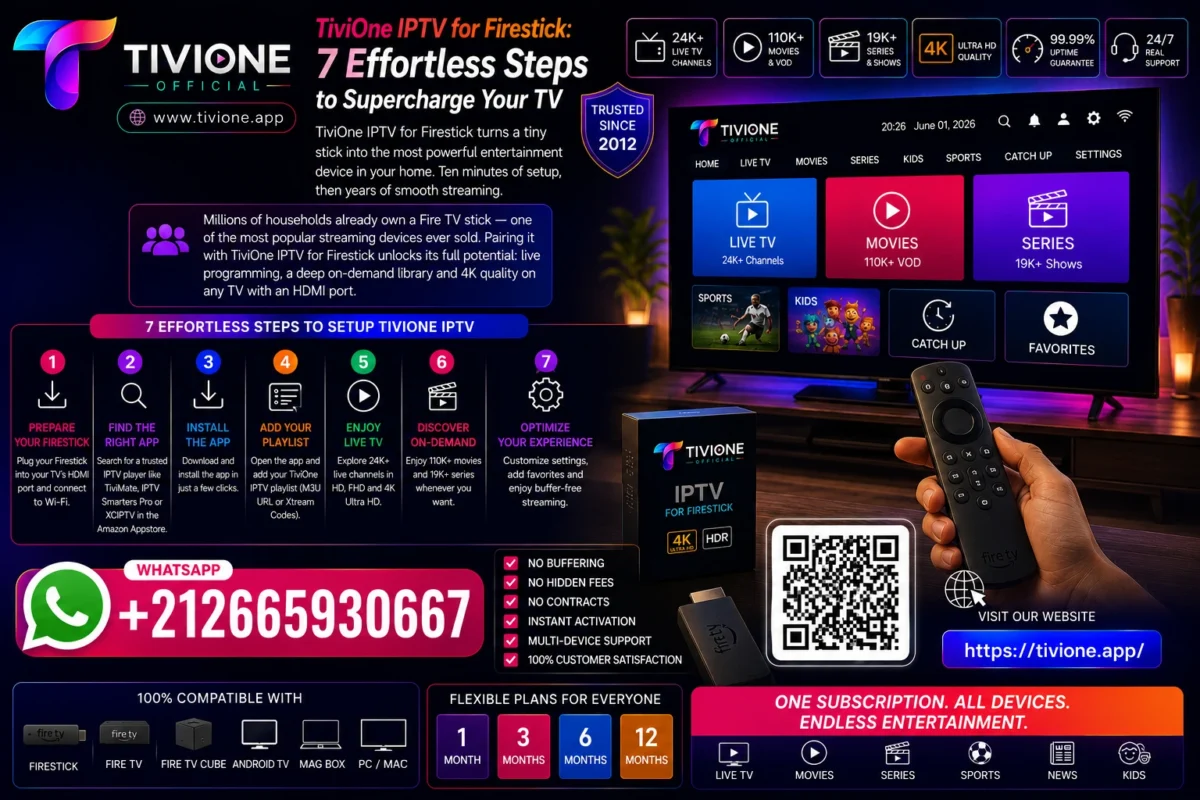
TiviOne IPTV for Firestick: 7 Effortless Steps to Supercharge Your TV
Jul
TiviOne IPTV for Firestick: 7 Effortless Steps to Supercharge Your TV
TiviOne IPTV for Firestick turns a tiny stick into the most powerful entertainment device in your home. Ten minutes of setup, then years of smooth streaming.
Millions of households already own a Fire TV stick — one of the most popular streaming devices ever sold. Pairing it with TiviOne IPTV for Firestick unlocks its full potential: live programming, a deep on-demand library and 4K quality on any TV with an HDMI port.
What Is TiviOne IPTV for Firestick?
The Fire TV stick is a compact streaming device — see Amazon Fire TV — that plugs into any television’s HDMI port. TiviOne IPTV for Firestick is the TIVIONE service running on that stick through Internet Protocol television technology.
Once installed, the stick receives streaming media over your home internet: live programming, catch-up and a deep video on demand library, all navigated with the stick’s own remote.
Quality adapts automatically through adaptive bitrate streaming, and on 4K-capable sticks the picture scales to ultra-high definition.
Why Fire TV Owners Worldwide Choose It
The stick’s genius is that it upgrades any television — old or new, any brand. Add TiviOne IPTV for Firestick and even a ten-year-old TV becomes a modern streaming hub with a slick program guide.
Portability seals the deal. The stick travels in a pocket: plug it into a hotel TV or a relative’s screen, and your whole catalogue follows you, subject to local regulations.
It is also the most affordable path to premium streaming. Instead of replacing a television, you upgrade it for the price of a stick — and keep upgrading it with software over the years.
For French-speaking households worldwide, the combination is especially attractive: TIVIONE’s catalogue is particularly rich in francophone films, series and live programming, all accessible from a device that costs less than a family dinner.
7 Effortless Steps to Set Up TiviOne IPTV for Firestick
1. Plug In and Update the Stick
Insert the stick into your TV’s HDMI port, connect its power cable and let it install any pending system updates. A fresh stick performs noticeably better.
2. Connect to Your Fastest Network
Choose your 5 GHz Wi-Fi band when available. It carries HD and 4K streams far more reliably than the crowded 2.4 GHz band.
If the stick sits far from your router, moving the router closer — or into open air rather than a cabinet — often improves streaming more than any setting change.
3. Order Your TiviOne IPTV for Firestick Access
Head to the contact page and mention that you use a Fire TV stick. The team prepares your account and points you to the ideal app for your exact model.
4. Install the Recommended App
Follow the short walkthrough the team sends you — installation takes two or three minutes. No technical skills required; every step is spelled out.
5. Sign In With Your Credentials
Enter the login details you received and the full catalogue appears: live programming, movies, series and catch-up, all organized in a clean interface.
Signing in takes under a minute with the stick’s remote. If typing feels slow, the team can share a quicker method during your setup conversation.
6. Personalize Your Experience
Mark favorite channels, build watchlists and set your preferred language. TiviOne IPTV for Firestick remembers your setup every time the stick wakes.
7. Save the Support Contact
Keep the support details on hand. New stick, new TV, any question at all — a real technician answers directly, for the life of your plan.
Practical Guide: Optimizing Your Stick
A few small tweaks make TiviOne IPTV for Firestick feel even faster:
- Verify your line. Run a quick Speedtest — 10 Mbps covers HD, 25 Mbps or more keeps 4K flawless.
- Free up memory. Uninstall apps you never use; a lighter stick launches streams faster and menus feel snappier.
- Restart weekly. A quick reboot clears cached clutter and keeps performance consistent.
- Consider an Ethernet adapter. For the main living-room TV, a wired connection removes Wi-Fi interference entirely.
| Stick Model | Best For | Tip |
|---|---|---|
| Standard stick | HD viewing on secondary TVs | Perfect for bedrooms and kitchens |
| 4K stick | Main TV, ultra-high definition | Pair with 25 Mbps+ for full quality |
| 4K Max stick | Power users, fastest menus | Best Wi-Fi performance of the family |
Whichever model you own, the heavy lifting happens server-side: TIVIONE’s load-balanced, monitored infrastructure keeps streams stable at peak hours, with human technical support one message away.

Ready to Supercharge Your Firestick ?
Contact us directly on WhatsApp:
+212 665-930667
Order on WhatsApp
Frequently Asked Questions
Does TiviOne IPTV for Firestick work on every stick model?
Yes — standard, 4K and 4K Max models are all supported. The team confirms your model and recommends the ideal app before you order.
How long does setup take?
Around ten minutes from first message to first stream. Installation itself takes two or three minutes with the guided walkthrough.
Do I need a new TV?
No. The stick works with any television that has an HDMI port, instantly modernizing older screens.
Can I get 4K quality on the stick?
Yes, on 4K-capable models with a connection of roughly 25 Mbps or more. Quality adjusts automatically to your line in real time.
Is this service legal?
Tivione is a neutral technical platform that provides access to streaming technologies. The service does not store, host or distribute any copyrighted files and operates in compliance with the laws applicable in its jurisdiction. Users are solely responsible for the content they choose to access and must comply with the legislation in force in their country of residence.
How do I order TiviOne IPTV for Firestick?
Head to our contact page or message +212 665-930667 on WhatsApp. Your account is activated in the same conversation, usually within minutes.
Is there content in French?
Yes. The catalogue serves an international audience and is particularly rich in French-language films, series and live programming.
Can I take the stick when I travel?
Yes — that is one of its best features. Plug it into any HDMI TV and sign in wherever you have reliable internet, subject to the laws applicable where you are.
What if something stops working on my stick?
Reach the team through the contact page and a technician troubleshoots with you directly. Most issues are resolved in a single conversation.
The best upgrades are the simple ones. TiviOne IPTV for Firestick takes a device you already own and turns it into the center of your entertainment: visit https://tivione.app/ or reach us through the contact page, and stream tonight.
